

K-WANG
+086-15305925923
Service expert in industrial control field!


Product
Article
NameDescriptionContent
Adequate Inventory, Timely Service
pursuit of excellence


Ship control system
Equipment control system
Power monitoring system
Brand
Product parameters
- Telephone:+86-15305925923
- contacts:Mr.Wang
- Email:wang@kongjiangauto.com
Description
How to make Ethernet cables
Ethernet cable (shielded Cat 5) contains 4 twisted pairs of wires and a drain wire. Each pair consists of a
solid color wire and a color wire with a white stripe.
1. Hold the cable ends and RJ45 connectors side by side as shown
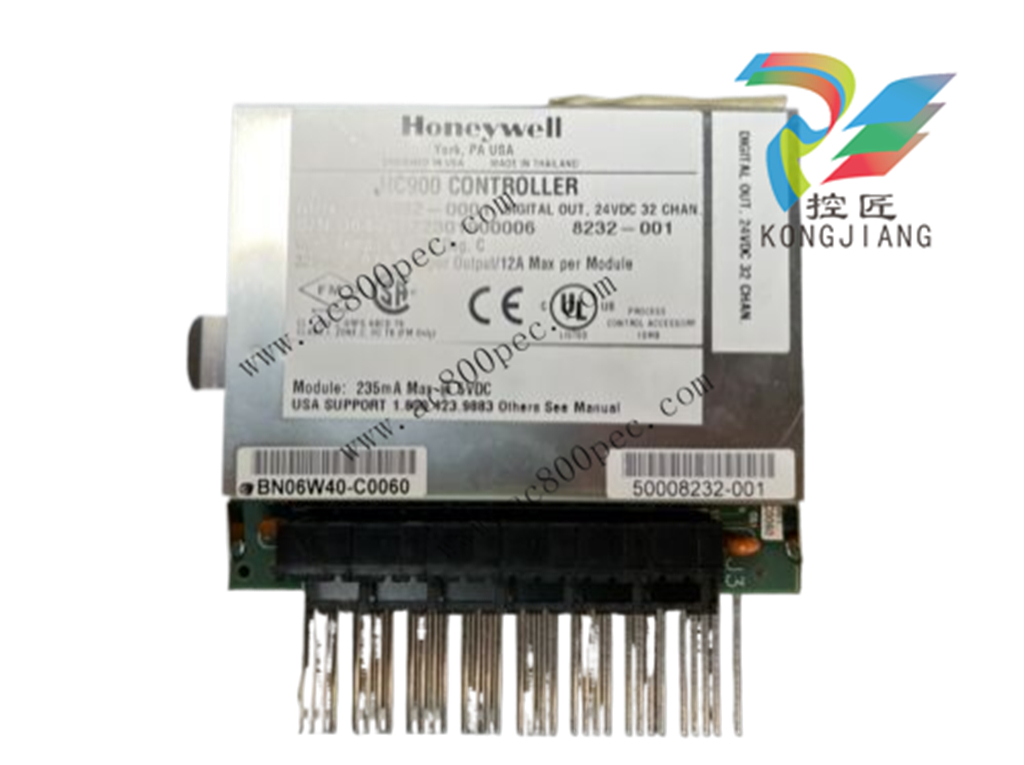
Honeywell Relay Output Remote Terminal Panel (RTP) Note 6 (NOT FOR SIL2 SYSTEMS) 900RTR-H001
2. For straight through cable, arrange wires as shown in the following table. Wires go “straight through”,no crossovers.
Straight-through cable assembly
Cable left end
Left to right
Wire color/pin number
10Base-T / 100Base-T
Signal Description
Cable right end
Left to right
Wire color/pin number
white/orange/1 Tx + white/orange/1
Orange/2 Tx - Orange/2
white/green/3 Rx + white/green/3
Blue/4 Unused Blue/4
white/blue/5 Unused white/blue/5
Green/6 Rx - Green/6
white/brown/7 Unused white/brown/7
Brown/8 Unused Brown/8
3. Crimp an RJ45 connector to each cable end. To ensure reliability do not untwist the pairs any more than
necessary to complete the crimp connection. Use care to ensure that the cable drain wire is securely
connected to the shield of the RJ45 connector when the cable is crimped. Reference the
manufacturer’s instructions.
Electrical Considerations
All racks should be mounted in an appropriate metal enclosure. A diagram that shows recommended
wiring practice for the cabinet enclosure is given in Figure 29 – Cabinet Wiring, Single Chassis, and Figure
30 – Cabinet Wiring, Multiple Chassis. When Redundant power supplies are used in Redundant controller
racks or I/O racks, separate line power sources are recommended to provide the highest level of redundancy
and system operation.
Deviations from the installation conditions specified in this manual may invalidate this product’s
conformity with Low Voltage and EMC.
Hazardous voltages exist in the equipment enclosure.
Identify and avoid contact with voltage sources.
Failure to comply with these instructions could result in death or serious injury.
Controller Grounding
PROTECTIVE BONDING (grounding) of this controller and the enclosure in which it is installed shall be
in accordance with National Electrical Code (ANSI/NFPA 70) and with local electrical codes.
Figure 29 – Cabinet Wiring, Single Chassis
For P01 power supply use 3.0A, slow-blow for 115VAC operation; 2.5A, slow-blow for 230VAC
operation. For P02 power supply, use 2.5A, slow-blow for 115VAC operation; 2.0A, slow-blow for
230VAC operation. For P24 power supply use 7.0A slow-blow.
Figure 31 – Redundant power supplies each with external fuse and switch
CE Conformity
Electrical noise produces undesirable effects in measurements and control circuits.
Digital equipment is especially sensitive to the effects of electrical noise. You should use the following
methods to reduce these effects:
Supplementary bonding of the controller enclosure to a local ground, using a No. 12 (4 mm2
) copper
conductor, is recommended. This may help minimize electrical noise and transients that may adversely
affect the system.
Separate external wiring – group connecting wires into bundles (see Table 5) and route the individual
bundles through separate conduits or metal trays.
Use shielded twisted pair cables for all Analog I/O, Process Variable, RTD, Thermocouple, dc millivolt,
low level signal, 4-20 mA, Digital I/O, and computer interface circuits. Ground shields as described in
the section I/O Module Installation and Wiring page 77.
Use suppression devices for additional noise protection. You may want to add suppression devices at the
external source. Appropriate suppression devices are commercially available.
Refer to document 51-52-05-01 How to Apply Digital Instrumentation in Severe Electrical Noise
Environments for additional installation guidance.
Grouping Wires for Routing
Wires that carry relatively high electrical energy can produce unwanted noise in wires that transmit signals
of relatively low energy, particularly when they are placed parallel in long wiring runs. Collect and bundle
wires of similar type, and route the bundle separate from bundles of other types. Table 6 provides
suggested guidelines for grouping wires.
Table 5 – Guidelines for Grouping Wires
Wire Group Wire Functions
High voltage
(>50 Vdc/Vac)
AC Line power wiring
Earth ground wiring
Control relay output wiring
Line voltage alarm wiring
Signal
(<15 Vdc)
Analog signal wire, such as:
Input signal wire (thermocouple, 4 mA to 20 mA, etc.)
4-20 mA output signal wiring
Slidewire feedback circuit wiring
Communications
Low voltage
(<50 Vdc/Vac)
Low voltage alarm relay output wiring
Low voltage wiring to solid state type control circuits
Master Control Relay
A Master Control Relay (MCR) structure is a safety mechanism for shutting down the process control
system in emergency conditions. This mechanism, which is hard-wired (provided and installed by the
User) can include several Emergency Stop switches., strategically located near process equipment. An
example of an MCR structure is given in Figure 32.
Operating any of the Emergency-Stop switches opens the holding path for the MCR. When the MCR
de-energizes, the MCR contact opens, disconnecting all AC power that is supplied to AC Input Modules
and to AC Output Modules. Notice that AC power is disconnected only from the AC input/output modules.
Power is still available to Power Supplies at the Controller Rack and at each I/O expansion rack. The
Controller Module and the Scanner Modules in the racks continue to execute diagnostics and other
programs.
The Master Control Relay does not remove power from the Controller rack or from any of the I/O
expansion racks.
Before performing service tasks such as installation of terminal connections or fuse
replacement, use the appropriate switch(s) to disconnect power from the power supply at each
module.
Ensure that wiring design precludes over-riding of the MCR by operator actions.
Failure to comply with these instructions could result in death or serious injury.
Class 1, Division 2 Installations
DO NOT REMOVE OR REPLACE MODULES WHILE CIRCUIT IS LIVE UNLESS
THE AREA IS KNOWN NOT TO CONTAIN FLAMMABLE VAPORS.
Purchase history
| User name | Member Level | Quantity | Specification | Purchase Date |
|---|
Total 0 Record
Related products
Customer Reviews
Satisfaction :
5 Stars
No evaluation information


- LTI Drives
- other
- ADLINK
- Beckhoff
- Shinkawa
- Other Brands
- AMAT
- Iba
- PEPPERL+FUCHS
- Aerotech
- WATLOW
- MAN
- ADVANCED
- Abaco
- YOKOGAWA
- KOLLMORGEN
- MEGGITT
- kong-sberg
- METSO
- Motorola
- NI
- OEMAX
- RELIANCE
- scanlab
- schneider
- uniop
- Vibro-Meter
- Honeywell
- Rolls-Royce
- MOOG
- GE
- B&R
- Woodward
- Yaskawa
- xYCOM
- Siemens
- Emerson
- HIMA
- Bently
- ZYGO
- FOXBORO
- OMACO
- PROSOFT
- ENTERASYS
- TRICONEX
- Parker
- Lenze
- KEBA
- Alstom
- CTI
- ABB
- A-B
142

-
 Foxboro E69F-BI2 on-site installation type electric pneumatic converter (I/P)
 -
 Foxboro DCS Compact200 series RH916RB (16 slot horizontal bottom plate)
 -
 Operation Instructions for Reliance Electric PSC7000 Control Card
 -
 Eaton MTL F809F Plus DTM Operating Instructions
 -
 Motorola ACE3600 series remote terminal unit RTU
 -
 MOOG D136-003-001 Rugged Motion Controller
 -
 Micro Innovation GF1 series industrial touch screen (Micro Panel)
 -
 Neles ™ NDX ™ Compact intelligent valve controller (positioner)
 -
 Jamesbury Valv‑Powr ™ Installation, maintenance, and operation of VPVL mod D actuator
 -
 Jamesbury Valv‑Powr ™ VPVL series D-type compact gear rack pneumatic actuator
 -
 GMW IPP 144-40G Embedded Thermal Printer
 -
 Meggitt C327845 flow cut-off valve
 -
 Meggitt C422425/C422685/C422695/C422705 solenoid valve
 -
 Selection of LTi Drives ServoOne Full Series Servo Drive Systems
 -
 Jenaer Antriebstechnik ECOVARIO ® Installation and Operation Instructions for 114/214/414 Servo Drivers
 -
 Honeywell TDC3000X APM Advanced Process Manager
 -
 Honeywell Notifier NFS2-3030 Intelligent Addressing Fire Alarm Controller
 -
 Honeywell EP-DOCX-SCA-SMSC-100 Universal Signal Conditioning Wiring Solution for Safety Systems (UMS)
 -
 Installation Instructions for Honeywell XL1404 Fire Alarm Controller
 -
 Honeywell Enhanced Micro TDC 3000 (MT11-520) DCS Control System
 -
 HIMA X-DI 64 01 Digital Input Module
 -
 Hirschmann MICE MS20/MS30 Industrial Switch Installation Instructions
 -
 Exor UniOP ePAD05/ePAD06 Compact HMI Industrial Human Machine Panel
 -
 Exor Effectiveness View eV058- TST/eV058- TNT Industrial Touch Screen HMI Human Machine Panel
 -
 Esd VME-PMC CADDY/2 Intelligent VME-PMC Carrier Board
 -
 Installation Instructions for Elmo Gold Tuba (G-TUB) Servo Drive
 -
 Eaton COM-MPB1-TP/COM-MPB2-TP communication module
 -
 Delta Tau Turbo PMAC2 PCI Ultralite Programmable Multi Axis Motion Controller
 -
 DATA PATTERNS DP-VME-5114 module
 -
 CMZ SVM Series Independent Two Phase Synchronous Servo Driver SVM1608 Product Specification
 -
 SUMITOMO T2100Z steel turning
 -
 SUMITOMO PSZ Turn Modular Quick Change Tool System
 -
 SUMITOMO EGU positive front corner chip breaker groove
 -
 SUMITOMO GND series slotting and cutting tools
 -
 SUMITOMO AC8000P series (AC8115P/AC8020P/AC8025P/AC8035P) steel turning
 -
 SUMITOMO AC6000M series (AC6020M/AC6030M/AC6135M/AC6145M) stainless steel turning
 -
 SUMITOMO ELECTRIC AC5000S series (AC5005S/AC5015S/AC5025S) heat-resistant alloy turning
 -
 SUMITOMO ELECTRIC AC4000K series (AC4010K/AC4015K/AC4125K) cast iron turning
 -
 SUMITOMO ELECTRIC AC1135U small lathe for turning small parts
 -
 SUMITOMO ELECTRIC AC1030U Material Blade
 -
 CCS 6900G/6900P Non Explosion proof Pressure Switch Installation and Maintenance Manual
 -
 BENDER WR70 × 175S (P)~WR200 × 500S (P) rectangular measuring current transformer
 -
 BENDER RCMA475LY B-type residual current monitor
 -
 BENDER IRDH575 A‑ISOMETER ® Insulation monitoring device
 -
 BENDER IRDH265 / IRDH365(ISOMETER ®) Insulation monitoring device
 -
 BENDER RCMA475LY AC/DC sensitive residual current monitor
 -
 Beckwith Electric M-3425A Generator Integrated Protection Relay
 -
 Automated Logic MEx816u I/O Expansion Module
 -
 ASEM HT2150 Fanless Industrial Panel X86
 -
 Advantest U3771/U3772 portable microwave millimeter wave spectrum analyzer
 -
 Advantest R6144 Programmable DC Voltage/Current Source (Calibration Source)
 -
 Aerotech UNIDEX 100/U100i single axis motion controller
 -
 Aerotech Ndrive MP Ultra Compact PWM Digital Servo Driver
 -
 Aerotech Ndrive HPe 10/20/30 High Performance PWM Digital Servo Drive
 -
 Aerotech Ndrive Linear (HLe/ML) Linear Servo Drive
 -
 Aerotech Ndrive CP Compact PWM Digital Servo Driver
 -
 Aerotech Ndrive Linear (HLe/CL/ML) linear servo drive
 -
 Aerotech Ndrive HL (EDU176 Rev1.08b) Digital Servo Drive
 -
 Aerotech Ndrive HP10/20/30 PWM Digital Servo Drive
 -
 Aerotech Ndrive series digital servo drives
 -
 SIGMATEK TAE 1941 Touch Display Unit
 -
 SIGMATEK TAE 151 Touch Display Unit
 -
 SIGMATEK AKM series servo motor
 -
 SIGMATEK S-DIAS Control System
 -
 SIGMATEK Human Machine Interface (HMI)
 -
 SIGMATEK DIAS Drive 310-23 servo amplifier
 -
 SIGMATEK CCP 521 C-DIAS processor module
 -
 MEGMEET L6 series electric drive
 -
 Sysmex XN-1000/XN-2000 Hematology Analyzer
 -
 Sysmex XN-L series (XN-530/XN-430/XN-330) fully automatic blood cell analyzer
 -
 Sysmex XN-9000 Series Fully Automated Blood Analysis Pipeline
 -
 LTI‑Motion ServoOne Field Bus Systems PROFIBUS and PROFINET
 -
 Micro Innovation MICRO PANEL GF1 Color Touch Human Computer Interface
 -
 Micro Innovation WINbloc Distributed Remote I/O System
 -
 Micro Innovation MICRO PANEL GS-2 Industrial Touch Visualization Operation Panel (HMI)
 -
 LTi LST/LSH series synchronous servo motor
 -
 LTi CDE/CDB3000 positioning controller
 -
 ENOTEC SILOTEC ® Installation and Operation Instructions for 8000 Silo Monitoring O ₂/CO ₑ Analyzer System
 -
 ENOTEC ENSITU ® 7000 Compact Oxygen Transmitter Probe
 -
 ENOTEC COMTEC ® Installation and Operation Instructions for 6000 ATEX GasEx Explosion proof O ₂/COE Analyzer System
 -
 ENOTEC Integrated Products
 -
 ENOTEC OXITEC ® 500E Extraction Oxygen Analyzer
 -
 KUKA KR CS Box-2 Compact Controller for Four Axis SCARA Robot
 -
 KUKA KR C5 slim-2 Robot Controller
 -
 KUKA KR C5 micro With KUKA System Software (KSS/VSS) Assembly Instructions
 -
 KUKA KR C5 micro controller
 -
 KUKA KR C5 Controller Assembly Instructions
 -
 KUKA KR C5 compactcab and KR C5 small-size cab cabinets
 -
 KUKA KR C4 smallsize-2 small robot control cabinet
 -
 KUKA KR C4 Midsize/KR C4 Midsize CK Assembly Manual
 -
 ENOTEC ® Installation and Operation Instructions for 5000/5000+Oxygen Analyzer System
 -
 KUKA KR C4 extended; KR C4 extended CK Assembly Instructions Assembly Manual
 -
 Assembly/Installation Manual for KUKA KR C4 Compact Control Cabinet
 -
 KUKA Sunrise Cabinet Med Medical Collaborative Robot Special Control Cabinet
 -
 KUKA Sunrise Cabinet Next Generation Small Control Cabinet
 -
 KUKA KR C4 Smallsize-2 family's smallest control cabinet
 -
 KUKA KR C4 midsize; KR C4 midsize CK medium-sized control cabinet
 -
 KUKA KR C4 extended is a high-power multi axis control cabinet
 -
 General installation and operation instructions for KUKA KR C4 and KR C4 CK controllers
 -
 KUKA KR C4 compact controller operation instructions
 -
 Installation and Operation Instructions for KUKA Robot Arm
 -
 KUKA TITAN-2 Ultra Ground Overloading Six Axis Robot
 -
 Assembly instructions for KUKA KR SCARA-2 CS series robotic arm body
 -
 KUKA MA KR SCARA X Installation Guide
 -
 KUKA KR FORTEC-2 Ultra Heavy duty Ground Six Axis Robot Mechanical Assembly Manual
 -
 KUKA KR FORTEC-2 new generation heavy-duty ground six axis robot
 -
 KUKA Robots KR 1000 titan; KR 1000 L750 titan With F Variants Assembly Instructions
 -
 KUKA KR 600 FORTEC heavy-duty six axis ground mounted industrial robot
 -
 KUKA KR 500 MT FORTEC Heavy duty Six Axis Industrial Robot
 -
 KUKA KR 360 FORTEC Heavy duty Six Axis Industrial Robot
 -
 KUKA Sunrise Cabinet Med Medical Edition Robot Controller User Manual
 -
 KUKA Robots KR SCARA HO Assembly Instructions
 -
 KUKA Robots KR QUANTEC-2 PA Assembly Instructions
 -
 KUKA Robots KR QUANTEC-2 K and KR QUANTEC-2 P With K-F and P-C Variants Assembly Instructions
 -
 KUKA Robots KR QUANTEC-2 HO Assembly Instructions
 -
 KUKA Robots KR QUANTEC-2 HC Assembly Instructions
 -
 KUKA KR QUANTEC-2 series heavy-duty ground mounted six axis industrial robot
 -
 KUKA KR QUANTEC PA series heavy-duty palletizing robot
 -
 KUKA KR IONTEC-2 series six axis industrial robot
 -
 KUKA KR IONTEC ultra series six axis heavy-duty industrial robot
 -
 KUKA KR IONTEC HO Robot Assembly Manual
 -
 KUKA Robots KR CYBERTECH-3 HW Assembly Instructions
 -
 KUKA Robots KR CYBERTECH-3 Assembly Instructions
 -
 KUKA Robots KR CYBERTECH-2 arc Assembly Instructions
 -
 KUKA Robots KR CYBERTECH nano-2 Assembly Instructions
 -
 KUKA KR CYBERTECH CR HO (KR 20 R1810-HO) assembly instructions
 -
 KUKA Robots KR CYBERTECH With F variant Assembly Instructions
 -
 KUKA KR CYBERTECH CR (KR 20 R1810-CR) Clean Room (CR) Version 6-Axis Industrial Robot

K-JIANG

Add: Jimei North Road, Jimei District, Xiamen, Fujian, China
Tell:+86-15305925923